The UWSA Policy Controls Website is a web-based tool designed to help users efficiently understand and apply UWSA information security policy requirements. This interface offers a structured view of policy content aligned with the NIST Cybersecurity Framework (CSF) 2.0.
Some key features include:
Policy content organized by common operational areas, with tailored views for:
- End User Devices – Desktops, laptops, tablets, and virtual devices
- Servers – Including on-premises, IaaS, PaaS, virtual, and hybrid environments
- Applications – Covering on-premises, SaaS, and hybrid systems
Direct links to official UWSA policies, enabling quick reference and deeper exploration
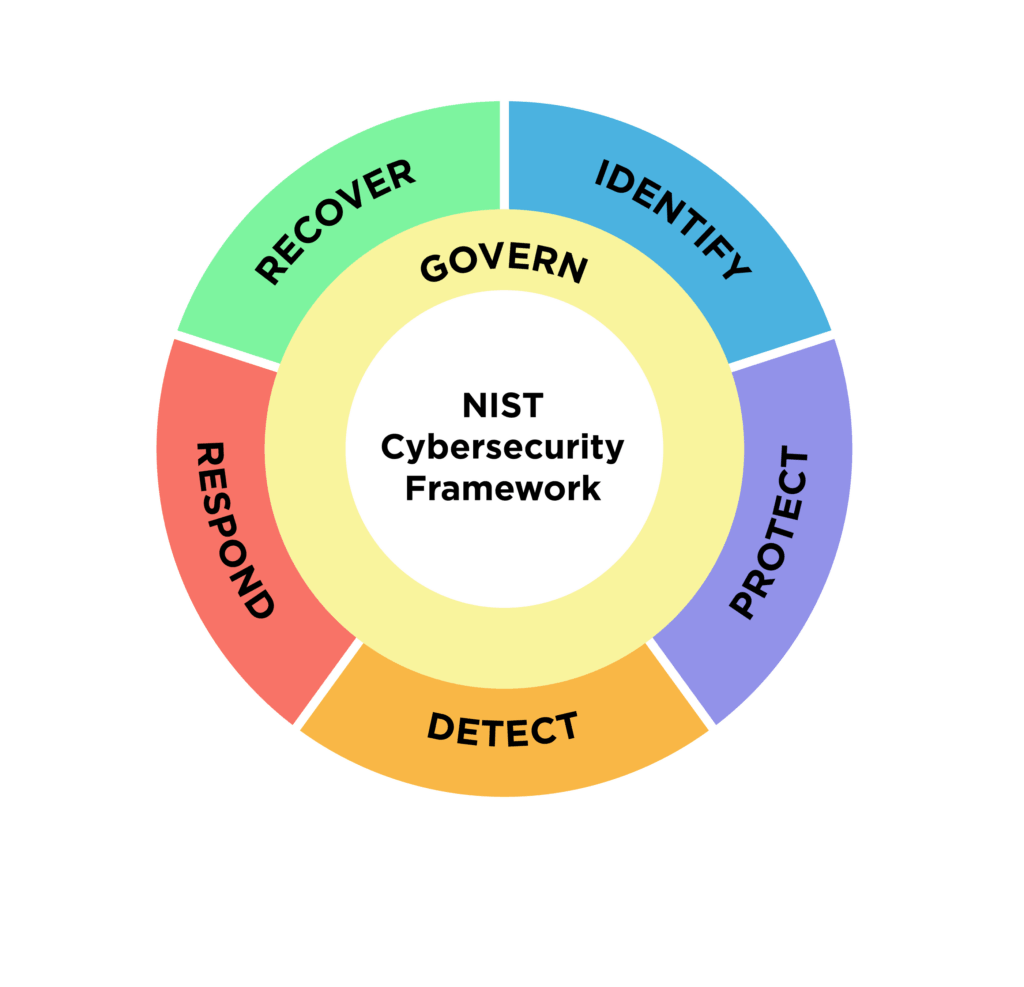
References to NIST CSF 2.0, Govern, Identify, Protect, Detect, Respond, and Recover
Cross-references to NIST SP 800-171, supporting efforts to align institutional policies with NIST
End User Devices – Desktops, laptops, tablets, and virtual devices
| Control | Frequency | What to do | References | CSF Function |
|---|---|---|---|---|
| Operating System | Ongoing maintenance | Maintain supported operating systems. | Policy 1036 NIST 800-171 Rev 3: 3.4.2 | Protect |
| Configurations | On setup and review | Enable host firewall. Disable remote access protocols (RDP, SSH), by default. Activate screen lock after 15 minutes of inactivity. | Policy 1036 NIST 800-171 Rev 3: 3.4.2, 3.4.6, 3.4.7 | Protect |
| Malware Protection | Continuous monitoring | Protect against malware using host-based and institutionally managed software. | Policy 1042 NIST 800-171 Rev 3: 3.14.2, 3.14.4 | Protect |
| Vulnerability Scanning | Monthly/Quarterly/Ad-hoc | Configure endpoints for scheduled vulnerability scans. Monthly for high risk or high impact, quarterly for other systems, include authenticated internal scanning for maximum visibility. Perform ad hoc scans after environmental changes. | Policy 1042 NIST 800-171 Rev 3: 3.14.1, 3.14.5, 3.4.7 | Protect |
| Patching | Ongoing | Prioritize endpoint patching based on importance. Follow remediation timelines and CVSS ratings. | Policy 1042 NIST 800-171 Rev 3: 3.14.1 | Protect |
| Infected Device | On detection | Isolate the endpoint from the network until triaged. | Policy 1036 NIST 800-171 Rev 3: 3.14.3 | Protect |
| Logging and Monitoring | Continuous | Create logs for monitoring, investigation, reporting unauthorized activity. Applies to end-user devices with increased security risks. Logs must be monitored locally or centrally. | Policy 1041 NIST 800-171 Rev 3: 3.1.7, 3.3.1, 3.3.5, 3.3.7 NIST 800-171 Rev 3: 3.14.7 | Detect |
| Inventory | On setup | Add endpoint to asset inventory. | Policy 1035 NIST 800-171 Rev 3: 3.4.1 | Identify |
| Incident | Continuous | Report an incident that meets medium or higher cyber incident severity criteria. Refer to UW System IR plan. | Policy 1033 NIST 800-171 Rev 3: 3.6.2 | Respond |
| VPN | On setup | Enable workstation VPN. | Policy 1038 NIST 800-171 Rev 3: 3.13.8 | Protect |
| Security Risks | Continuous | Capture security risks via methods such as vulnerability scanning, incident response, SIEM alert, and vendor notifications. | Policy 1039 NIST 800-171 Rev 3: 3.11.2, 3.6.1, 3.14.7 | Protect |
Servers – On-premises, IaaS, PaaS, virtual, and hybrid environments
| Control | Frequency | What to do | References | CSF Function |
|---|---|---|---|---|
| Accounts and Authorizations | On creation or change | Use only UW-authorized accounts and identity providers. Use Single Sign-On (SSO) by an institution authorized identity provider, when available. Apply security controls aligned with standard, privileged, and highly privileged authorizations. | Policy 1030 NIST 800-171 Rev 3: 3.1.1, 3.1.2, 3.1.5, 3.5.1, 3.5.5 | Protect |
| Privileged Authorizations | On assignment | Privileged authorizations require separate accounts or RBAC, with identities verified through in-person or equivalent assurance methods. Highly privileged authorizations must also use a separate account or PAM workflows. Highly privileged authorizations require approval from the Data Steward(s) responsible for the associated IT Asset(s). | Policy 1030 NIST 800-171 Rev 3: 3.1.6, 3.1.7, 3.13.3 | Protect |
| Attestation for Service Account Access | Annually | Authorizations must be reviewed annually for all service accounts. | Policy 1030 NIST 800-171 Rev 3 3.1.2 | Protect |
| Operating System | Ongoing maintenance | Maintain supported operating systems. | Policy 1036 NIST 800-171 Rev 3: 3.4.2 | Protect |
| Configurations | On setup and review | Enable host firewall. Disable remote access protocols (RDP, SSH), by default. Activate screen lock after 15 minutes of inactivity. | Policy 1036 NIST 800-171 Rev 3: 3.4.2, 3.4.6, 3.4.7 | Protect |
| Malware Protection | Continuous monitoring | Protect against malware using host-based and institutionally managed software. | Policy 1042 NIST 800-171 Rev 3: 3.14.2, 3.14.4 | Protect |
| Vulnerability Scanning | Monthly/Quarterly/Ad-hoc | Configure servers for scheduled vulnerability scans. Monthly for high risk or high impact, quarterly for other systems, include authenticated internal scanning for maximum visibility. Perform ad hoc scans after environmental changes. | Policy 1042 NIST 800-171 Rev 3: 3.14.1, 3.14.5, 3.4.7 | Protect |
| Patching | Ongoing | Prioritize server patching based on importance. Follow remediation timelines and CVSS ratings. | Policy 1042 NIST 800-171 Rev 3: 3.14.1 | Protect |
| Infected Device | On detection | Isolate the server from the network until triaged. | Policy 1036 NIST 800-171 Rev 3: 3.14.3 | Protect |
| Logging and Monitoring | Continuous | Create logs for monitoring, investigation, reporting unauthorized activity. For high impact services the logs must include security events and must be transferred to a managed logging service. Logs must be monitored locally or centrally. Keep logs for at least 30 days. | Policy 1041 NIST 800-171 Rev 3: 3.1.7, 3.3.1, 3.3.5, 3.3.7 NIST 800-171 Rev 3: 3.14.7 | Detect |
| Inventory | On setup | Add server to asset inventory. | Policy 1035 NIST 800-171 Rev 3: 3.4.1 | Identify |
| Incident | Continuous | Report an incident that meets medium or higher cyber incident severity criteria. Refer to UW System IR plan. | Policy 1033 NIST 800-171 Rev 3: 3.6.2 | Respond |
| Security Risks | Continuous | Capture security risks via methods such as vulnerability scanning, incident response, SIEM alert, and vendor notifications. | Policy 1039 NIST 800-171 Rev 3: 3.11.2, 3.6.1, 3.14.7 | Protect |
Applications – On-premises, SaaS, and hybrid systems
| Control | Frequency | What to do | References | CSF Function |
|---|---|---|---|---|
| Accounts and Authorizations | On creation or change | Use only UW-authorized accounts and identity providers. Use Single Sign-On (SSO) by an institution authorized identity provider, when available. Apply security controls aligned with standard, privileged, and highly privileged authorizations. | Policy 1030 NIST 800-171 Rev 3: 3.1.1, 3.1.2, 3.1.5, 3.5.1, 3.5.5 | Protect |
| Privileged Authorizations | On assignment | Privileged authorizations require separate accounts or RBAC, with identities verified through in-person or equivalent assurance methods. Highly privileged authorizations must also use a separate account or PAM workflows. Highly privileged authorizations require approval from the Data Steward(s) responsible for the associated IT Asset(s). | Policy 1030 NIST 800-171 Rev 3: 3.1.6, 3.1.7, 3.13.3 | Protect |
| Attestation for Service Account Access | Annually | Authorizations must be reviewed annually for all service accounts. | Policy 1030 NIST 800-171 Rev 3 3.1.2 | Protect |
| Vulnerability Scanning | Monthly/Quarterly/Ad-hoc | Configure applications for scheduled vulnerability scans. Monthly for high risk or high impact, quarterly for other systems, include authenticated internal scanning for maximum visibility. Perform ad hoc scans after environmental changes. | Policy 1042 NIST 800-171 Rev 3: 3.14.1, 3.14.5, 3.4.7 | Protect |
| Patching | Ongoing | Prioritize application patching based on importance. Follow remediation timelines and CVSS ratings. | Policy 1042 NIST 800-171 Rev 3: 3.14.1 | Protect |
| Infected Application | On detection | Isolate the application from the network until triaged. | Policy 1036 NIST 800-171 Rev 3: 3.14.3 | Protect |
| Logging and Monitoring | Continuous | Create logs for monitoring, investigation, reporting unauthorized activity. For high impact services the logs must include security events and must be transferred to a managed logging service. Logs must be monitored locally or centrally. Keep logs for at least 30 days. | Policy 1041 NIST 800-171 Rev 3: 3.1.7, 3.3.1, 3.3.5, 3.3.7 NIST 800-171 Rev 3: 3.14.7 | Detect |
| Inventory | On setup | Add application to inventory. | Policy 1035 NIST 800-171 Rev 3: 3.4.1 | Identify |
| Incident | Continuous | Report an incident that meets medium or higher cyber incident severity criteria. Refer to UW System IR plan. | Policy 1033 NIST 800-171 Rev 3: 3.6.2 | Respond |
| Security Risks | Continuous | Capture security risks via methods such as vulnerability scanning, incident response, SIEM alert, and vendor notifications. | Policy 1039 NIST 800-171 Rev 3: 3.11.2, 3.6.1, 3.14.7 | Protect |